
🧩 Spring 캐싱
Spring Cache
외부 라이브러리 필요 없이 Spring에 기본적으로 캐싱 관련 기능이 있고, 딱히 Redis만을 사용해야 하는 것도 아니다.
CacheConfig생성
@Configuration
@EnableCaching
public class CacheConfig {

    @Bean
    public RedisCacheManager cacheManager(
            RedisConnectionFactory redisConnectionFactory
    ) {
        RedisCacheConfiguration configuration = RedisCacheConfiguration
                .defaultCacheConfig()
                .disableCachingNullValues()
                .entryTtl(Duration.ofSeconds(10))
                .computePrefixWith(CacheKeyPrefix.simple())
                .serializeValuesWith(
                        SerializationPair.fromSerializer(RedisSerializer.java())
                );

        return RedisCacheManager
                .builder(redisConnectionFactory)
                .cacheDefaults(configuration)
                .build();
    }
}
캐싱이 적용되는 어노테이션
@Cacheable
// cacheNames: 메서드로 인해서 만들어질 캐시를 지칭하는 이름
// key: 캐시에서 데이터를 구분하기 위해 활용할 값
@Cacheable(cacheNames = "itemCache", key = "args[0]")
public ItemDto readOne(Long id) {
    log.info("Read One: {}", id);
    return itemRepository.findById(id)
            .map(ItemDto::fromEntity)
            .orElseThrow(() ->
                    new ResponseStatusException(HttpStatus.NOT_FOUND));
}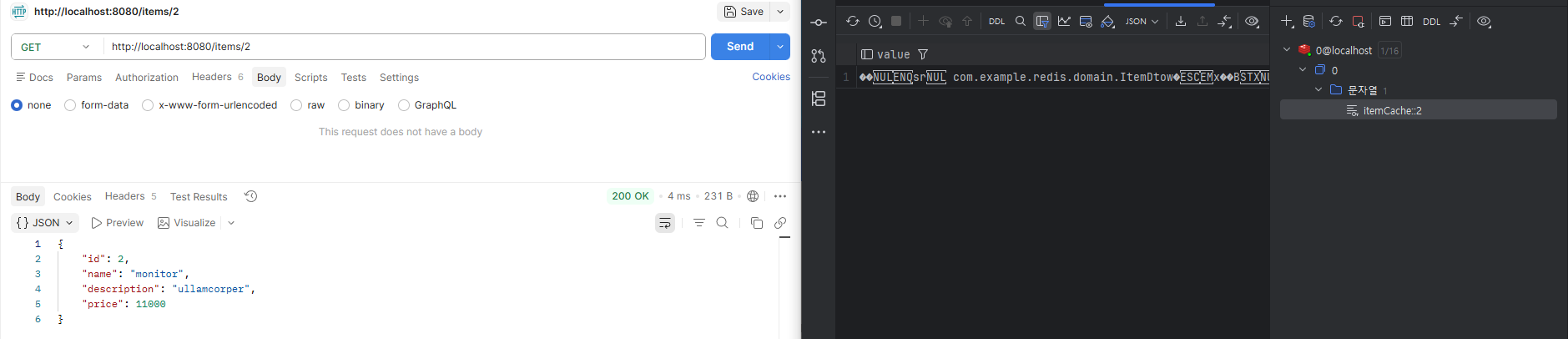
이 방식은 캐시에 없는 데이터를 요청할 경우 일단 DB에서 가져온 이후 Redis에 저장하는 Cache-Aside (Lazy Loading) 방식이다. @Cacheable 어노테이션 하나만 붙이면 되므로 구현이 굉장히 간단하지만, 어쨌거나 처음 요청에는 시간이 조금 걸린다는 단점이 있다.
@Cacheable(cacheNames = "itemAllCache", key = "methodName")
public List<ItemDto> readAll() {
    return itemRepository.findAll()
            .stream()
            .map(ItemDto::fromEntity)
            .toList();
}
@CachePut
@CachePut(cacheNames = "itemCache", key = "#result.id")
public ItemDto create(ItemDto dto) {
    return ItemDto.fromEntity(itemRepository.save(Item.builder()
            .name(dto.getName())
            .description(dto.getDescription())
            .price(dto.getPrice())
            .build()
    ));
}@Cacheable은 데이터를 캐시에서 발견할 경우(Hit), 메서드 자체를 실행하지 않는다. 반면, @CachePut은 항상 메서드를 실행하고 결과를 캐싱한다. 즉 지금처럼 생성, 또는 수정에 대해서 적용하면 Write Through 전략처럼 동작한다.
한편 @CachePut으로 생성한 캐시를 @Cacheable 메서드에서 가져올 경우 해당 메서드는 실행되지 않는다.
@CacheEvict
@CachePut(cacheNames = "itemCache", key = "args[0]")
@CacheEvict(cacheNames = "itemAllCache", allEntries = true)
public ItemDto update(Long id, ItemDto dto) {
    Item item = itemRepository.findById(id)
            .orElseThrow(() -> new ResponseStatusException(HttpStatus.NOT_FOUND));
    item.setName(dto.getName());
    item.setDescription(dto.getDescription());
    item.setPrice(dto.getPrice());
    return ItemDto.fromEntity(itemRepository.save(item));
}

@CacheEvict(cacheNames = "itemCache", key = "args[0]")
public void delete(Long id) {
    itemRepository.deleteById(id);
}@CacheEvict는 주어진 정보를 바탕으로 저장된 캐시를 지운다. 캐시를 제거하는 Eviction Policy 구현과 관련이 있다.
검색 결과 캐싱
RedisApplication수정
@SpringBootApplication
@EnableSpringDataWebSupport(pageSerializationMode = VIA_DTO) // 추가
public class RedisApplication {

	public static void main(String[] args) {
		SpringApplication.run(RedisApplication.class, args);
	}

}ItemService:searchByName()메서드 추가
@Cacheable(
        cacheNames = "itemSearchCache",
        key = "{ args[0], args[1].pageNumber, args[1].pageSize }"
)
public Page<ItemDto> searchByName(String query, Pageable pageable) {
    return itemRepository.findAllByNameContains(query, pageable)
            .map(ItemDto::fromEntity);
}ItemController:search()메서드 추가
@GetMapping("search")
public Page<ItemDto> search(@RequestParam(name = "q") String query, Pageable pageable) {
    return itemService.searchByName(query, pageable);
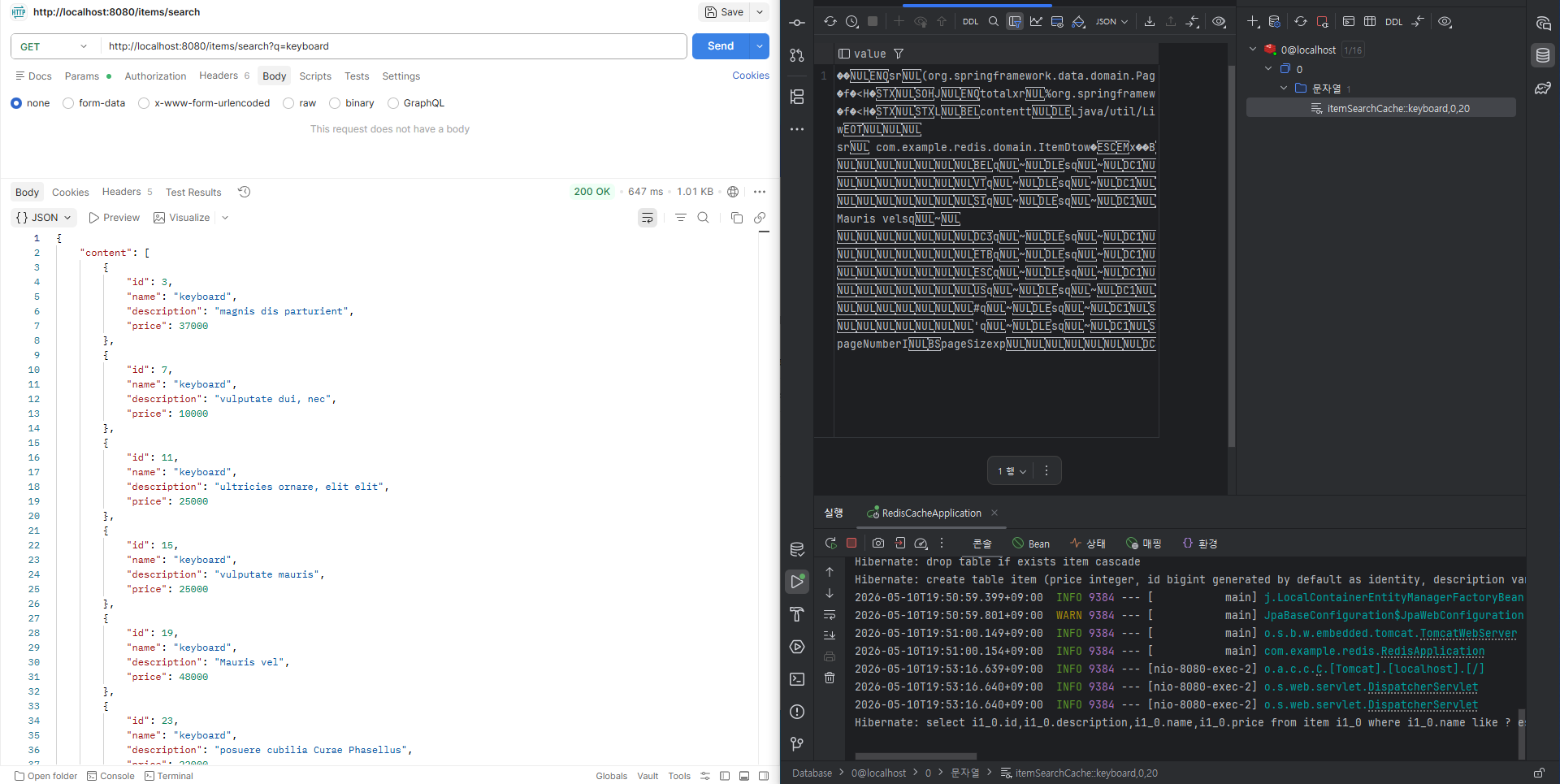
}
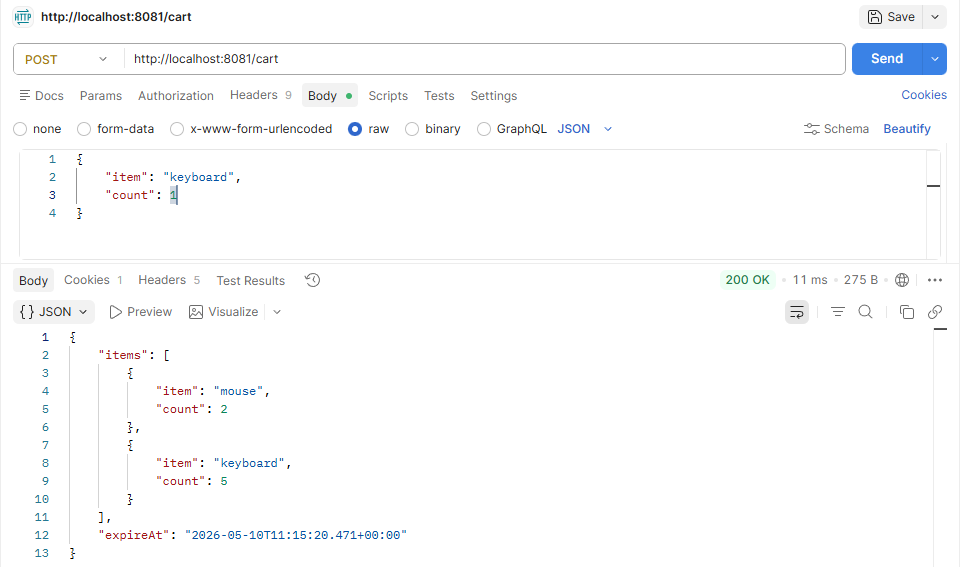
[실습] 로그인 없는 장바구니 기능을 만들어보자.
- 데이터 타입은 Hash를 사용한다.
- 특정 사용자의 장바구니가 사용된지 3시간이 지나면 삭제되도록 조정한다.
- 장바구니에 물품 조정, 장바구니 조회 기능이 존재한다.
- 특별한 Entity의 추가 구현 없이, 대상 물품과 수량은 클라이언트가 정해서 전달한다고 가정하자.
- 만약 수량을 줄이고 싶다면 음수가 전달되며, 수량이 0 이하가 되면 장바구니에서 제거된다.
- 여러 애플리케이션 인스턴스에 걸쳐 부하가 분산됨을 가정하자.
redis-example/redis-cart at main · qkrwns1478/redis-example
Contribute to qkrwns1478/redis-example development by creating an account on GitHub.
github.com

'내일배움캠프' 카테고리의 다른 글
| [내일배움캠프] Redis 심화 (0) | 2026.05.12 |
|---|---|
| [내일배움캠프] Redis 실습 (0) | 2026.05.11 |
| [내일배움캠프] Redis 응용 (0) | 2026.05.08 |
| [내일배움캠프] Redis (1) | 2026.05.07 |
| [내일배움캠프] Github Actions와 CI/CD (0) | 2026.05.06 |